ShopAccess AI
A bilingual (English and Spanish) AI-assisted laptop-shopping prototype built for the PayPal AI Hackathon. The AI advises, the server validates every recommendation, and checkout is refused until the shopper creates a limited purchase permission. The catalog and payments are simulated.
- Event
- PayPal AI Hackathon (submitted, solo entry)
- Languages
- English and Spanish
- Payments
- Simulated; optional PayPal Sandbox
- Year
- 2026
- Status
- Completed hackathon prototype
- Stack
- Next.js
- TypeScript
- React
- Zod
- Vitest
- Qwen (optional)
- PayPal Sandbox (optional)
- Chrome extension
 Watch the demo video on YouTube
Problem and target users
ShopAccess AI is designed for first-time buyers choosing a laptop in English or Spanish. Specifications can be hard to compare, and AI shopping assistants can sound more certain than the evidence allows, especially about whether a laptop can run AI workloads such as training models locally.
Letting software act on a shopper’s behalf raises a second question: what is it allowed to do? The prototype explores an assistant that explains its evidence, says what it cannot verify, and never spends anything the shopper has not explicitly allowed.
The product experience
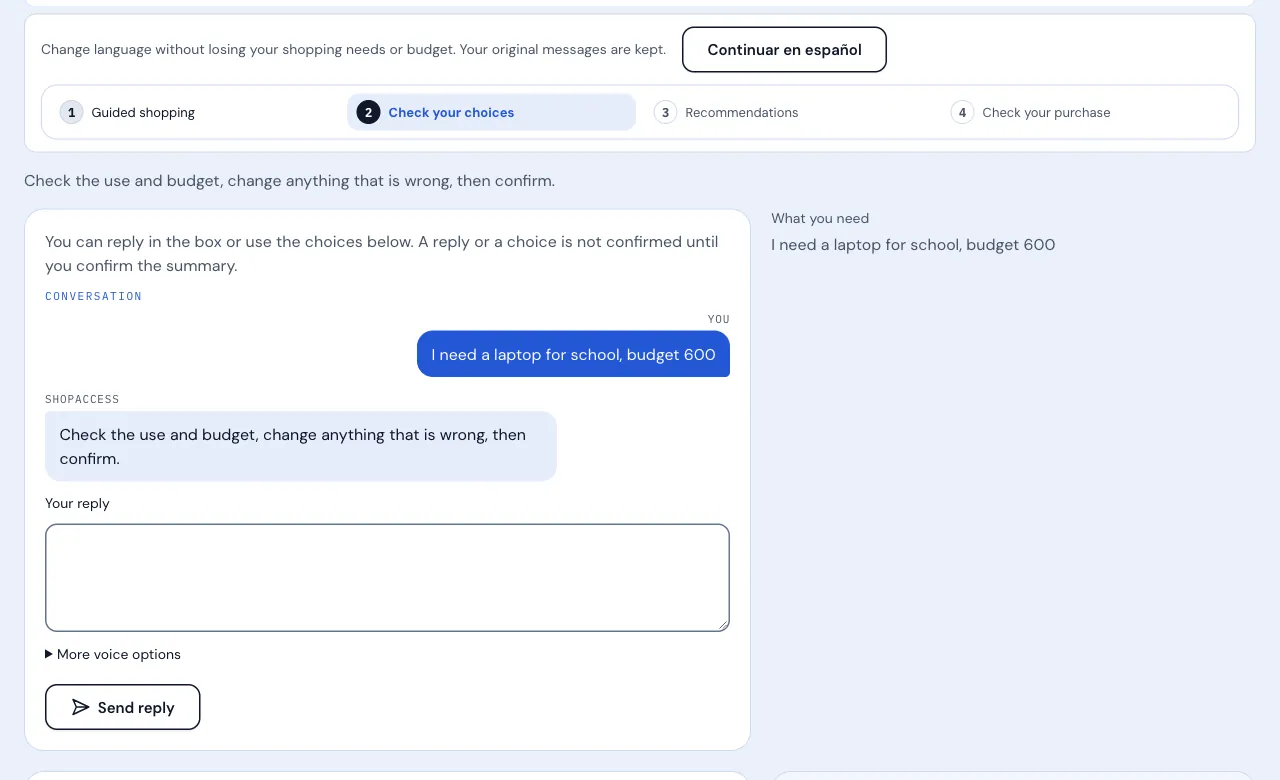
The shopper types, or dictates through the browser’s speech services, what they need and their budget. The assistant asks follow-up questions and shows its understanding, and nothing counts as the request until the shopper confirms the summary.
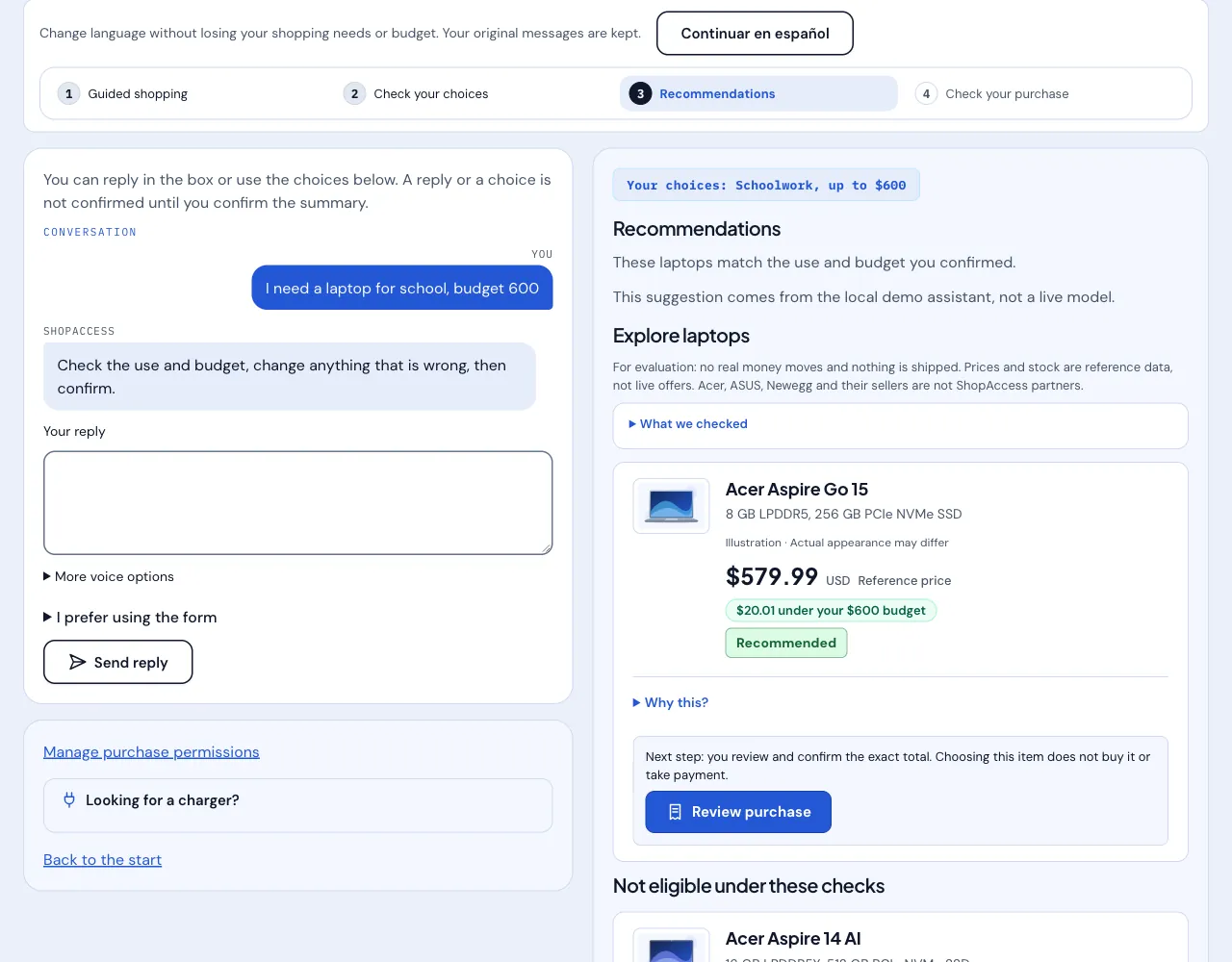
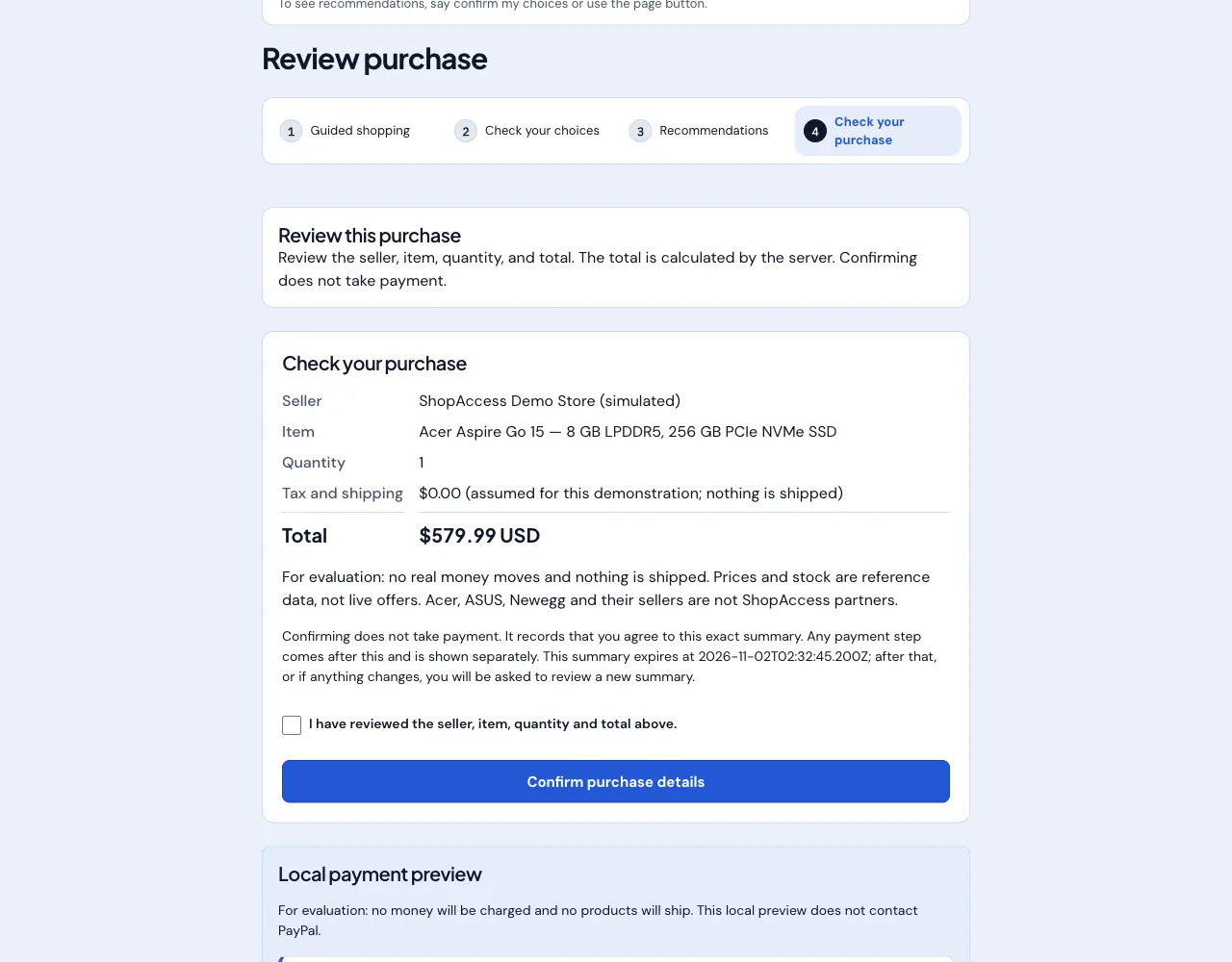
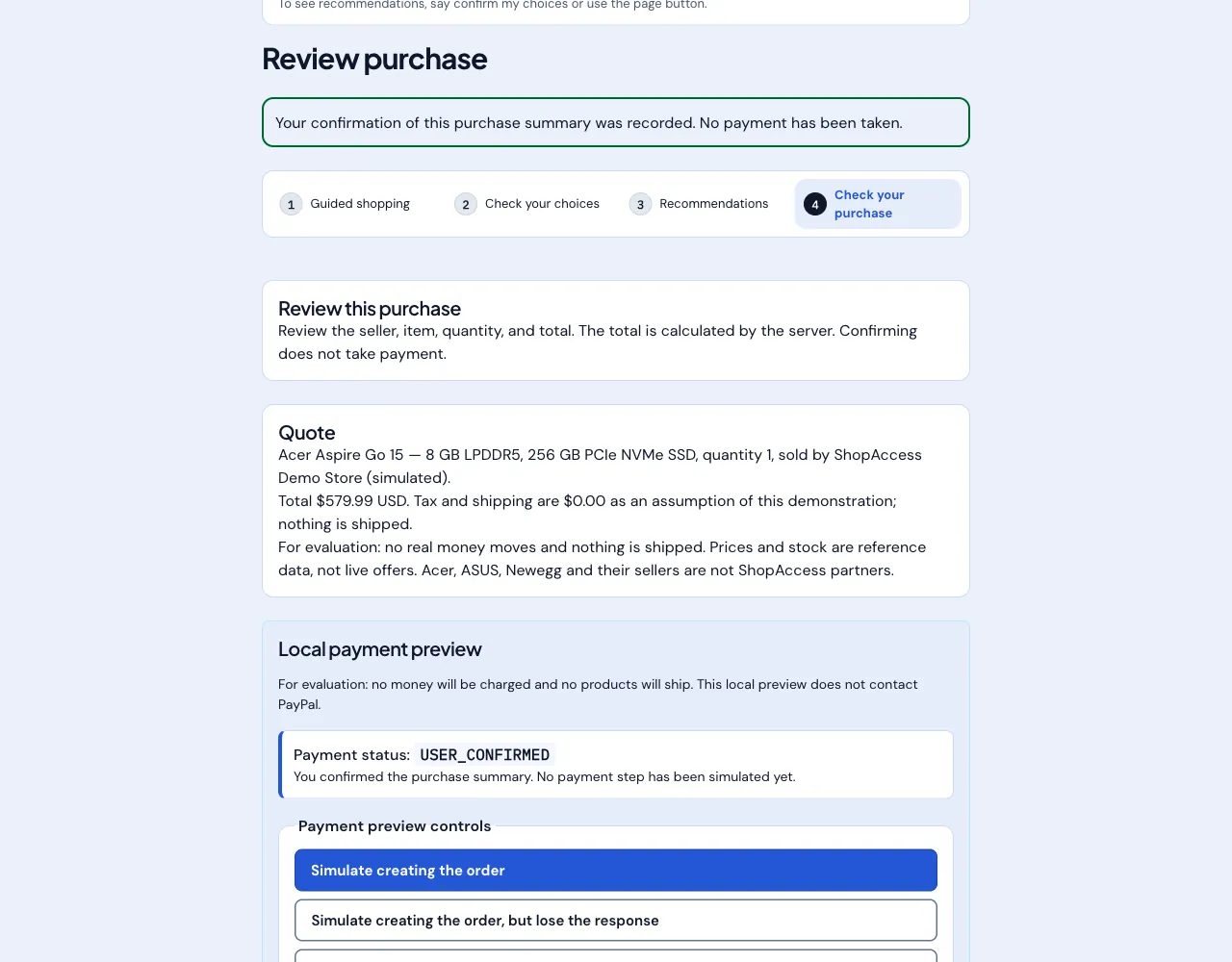
Recommendations come from a fixed demo catalog of three laptops. The server checks price, stock, memory, storage and weight, and each card explains why a laptop is or is not eligible. The shopper then reviews a server-priced quote, confirms it, and reaches a payment step that is simulated by default.
AI evidence and uncertainty
When a request involves AI work, the assistant asks whether the models will run on the laptop or in the cloud. Each card then shows “AI compatibility: not verified” and says what evidence is missing, for example VRAM, unless the catalog contains that evidence. A laptop that has not been verified for the workload is never marked Recommended.
By default the assistant is a labelled local demo assistant. A live Qwen model through Synthorai can be configured on the server, with a 15-second deadline, a 1,024-token output cap and per-session, hourly and daily limits. Its output is advisory: the server enforces catalog identity, suitability and budget, and drops any suggestion that is not eligible. If the provider fails or a limit is reached, the local assistant answers and is labelled as such.
Purchase authorization and payments
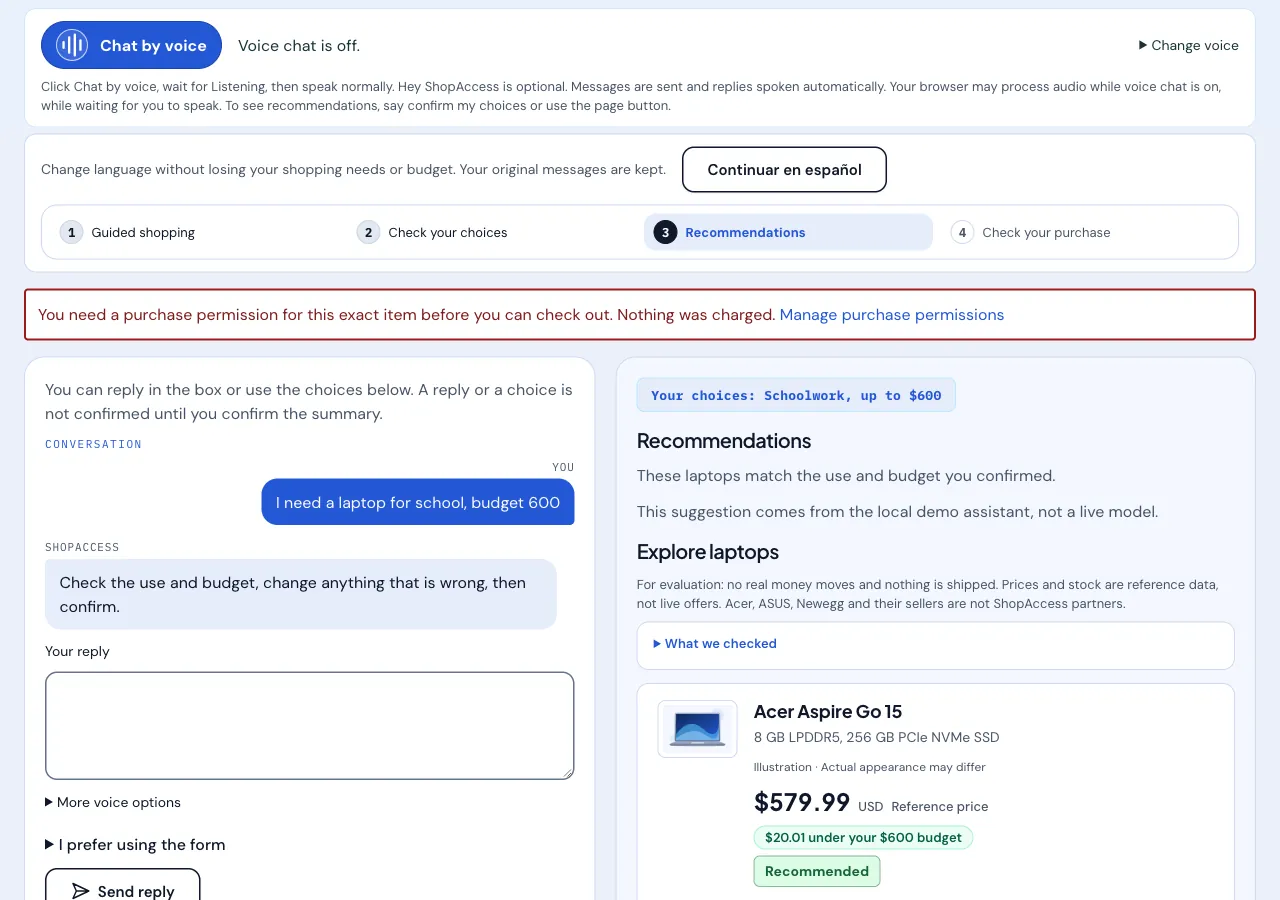
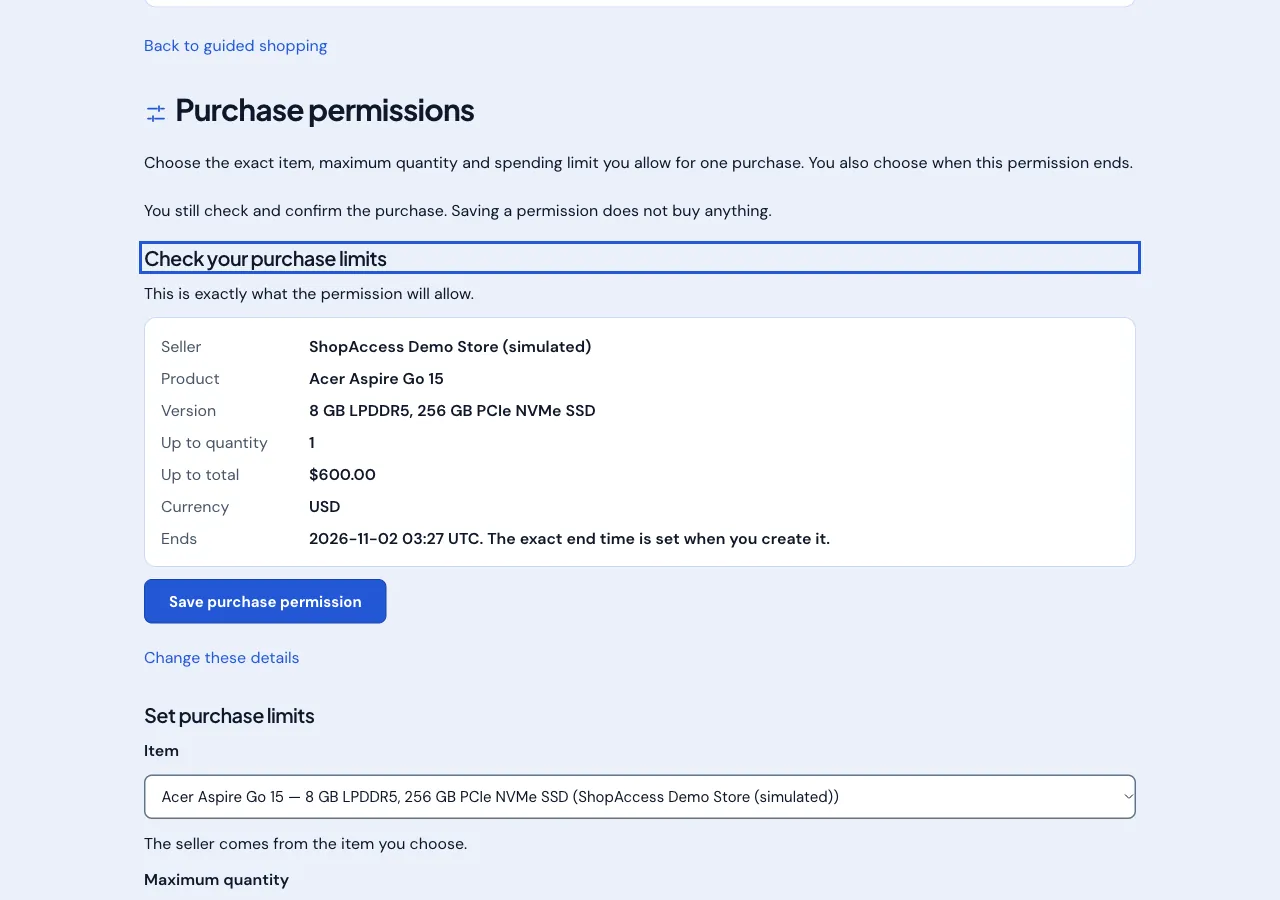
Checkout is refused, and nothing is charged, until the shopper creates a purchase permission for that exact item. A permission sets a maximum quantity, a maximum total and an expiry, and can be revoked. The total is calculated by the server and confirmed explicitly before any payment step.
By default the payment step is a local simulation of order, approval and capture, and PayPal is not contacted. An optional PayPal Sandbox mode exists for owner-authorized runs: it uses sandbox accounts only, reports success only after checking the capture against the order, amount, currency and payee, and the code rejects live or production configuration. Production payments are not implemented.
Languages and the Chrome side panel
The shopping journey is available in English and Spanish, with an explicit language switch that keeps the shopper’s needs and budget. Product names stay in English and are marked as English for screen readers.
A developer Chrome extension (an unpacked Manifest V3 side panel) can read and continue the same conversation after the shopper approves a pairing code on the website. It cannot confirm a purchase, check out or pay.
Testing and validation evidence
The repository’s automated tests cover sessions, catalog validation, readiness rules, quotes and confirmation, the payment state machine, purchase permissions, the PayPal Sandbox adapter, the extension API and localized routes. In a local run on 1 November 2026, the type check passed and the test suite passed with 129 test files and 2,568 tests. These are unit and handler-level tests, not a browser or accessibility audit.
The project’s own records also say what that evidence does not show. One supervised PayPal Sandbox rehearsal on 18 October 2026 ended in a verified USD 579.99 capture, and the project does not treat that as acceptance. Screen-reader, native-speaker, real-microphone and multi-browser acceptance testing is incomplete.
My contribution
ShopAccess AI was my solo entry in the PayPal AI Hackathon. I led the project and made the product and technical decisions. It was built through AI-assisted software development under my direction: I directed implementation with Claude Code and used Codex for independent code review and verification. I did not manually write every line of code.
Individual project
Product walkthrough
Screenshots from a local run in mock mode with synthetic shopping data. No live AI provider, PayPal Sandbox or real payment was used.
Architecture
The AI sits at the start of the flow as an advisor. Every step after the shopper’s confirmation is decided by server-side rules. The Chrome side panel can read and continue the conversation but cannot confirm or pay.
Engineering decisions
01
The AI advises and the server decides
Model output only interprets the shopper’s use and budget and proposes products. Catalog identity, suitability, budget and every purchase rule are enforced on the server, and an ineligible suggestion is dropped instead of shown.
02
Uncertainty is disclosed instead of guessed
For AI workloads the cards say “AI compatibility: not verified” unless the catalog has evidence, and an unverified laptop is never marked Recommended, so a confident-sounding answer cannot hide missing evidence.
03
Permission before payment, with explicit limits
Checkout requires a purchase permission for the exact item, limited by quantity, total and expiry, which the shopper can revoke. The extension’s access grant has no confirm, checkout or pay scope.
Scope and limits
- ShopAccess AI is a hackathon prototype. The catalog, sellers, prices and stock are simulated demo data, nothing is shipped, and no real money moves. Production payments are not implemented.
- The hosted demonstration is passphrase-protected and is not open to the public. State is held in memory and a restart clears it.
- The live Qwen assistant, PayPal Sandbox mode and Channel3 external listings are optional configurations, not part of the default run. Product images are illustrations, and the simulated payment panel is in English even on Spanish pages.
- Voice input and read-aloud use the browser’s speech services, which may send audio to them. Screen-reader, native-speaker, real-microphone and multi-browser acceptance testing is incomplete, and the Chrome side panel is an unpacked developer extension.